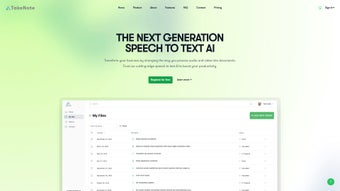

Download TakeNote – AI‑Powered Transcription & Meeting Insight Tool
Overview
TakeNote is a cutting‑edge AI voice generator built to transform the way professionals handle meetings, interviews, webinars, and any spoken‑word event. By leveraging advanced speech‑to‑text algorithms and natural language processing, TakeNote delivers fast, highly accurate transcriptions while automatically detecting speakers, inserting punctuation, and even summarizing lengthy discussions. The web‑based platform runs securely in the cloud, meaning you never need to install bulky software on your desktop.
Its robust handling of background noise, diverse accents, and varied audio quality makes it a reliable companion for remote teams, legal professionals, journalists, and educators who demand precise documentation. Beyond raw transcription, TakeNote adds a layer of intelligence through sentiment analysis, allowing you to gauge the overall mood of a conversation and extract actionable insights. Whether you need a quick note‑taking solution for a 15‑minute stand‑up or a comprehensive record of a multi‑hour board meeting, TakeNote provides a seamless, secure, and user‑friendly experience that eliminates the manual effort traditionally associated with meeting minutes.
Key Features That Set TakeNote Apart
- Real‑time transcription: Instant conversion of spoken words to text with latency under 2 seconds.
- Speaker identification: Automatic detection and labeling of multiple speakers, even when voices overlap.
- Automatic punctuation & formatting: Smart insertion of commas, periods, question marks, and paragraph breaks.
- Summarization engine: Generates concise bullet‑point summaries for quick review.
- Sentiment analysis: Detects positive, neutral, or negative tones throughout the conversation.
- Noise‑cancellation handling: Maintains high accuracy in noisy environments such as cafés or open offices.
- Accent‑agnostic processing: Trained on a diverse dataset to understand regional accents and non‑native speech.
- Secure cloud storage: End‑to‑end encryption ensures that your audio files and transcripts stay private.
- Export options: Download transcripts as .txt, .docx, .pdf, or integrate via API for custom workflows.
- Cross‑platform accessibility: Works in any modern web browser on Windows, macOS, Linux, Android, and iOS devices.
Installation & Usage Instructions
Because TakeNote is a cloud‑native service, there is no traditional installation process. Getting started is as simple as creating an account and granting microphone access through your browser. Follow these steps to start capturing meeting data in minutes:
- Create a free account: Visit TakeNote’s homepage and click “Sign Up”. Provide a valid email address, set a strong password, and confirm your account via the verification link.
- Choose a subscription plan: TakeNote offers a free tier (up to 30 minutes of transcription per month) and paid plans ranging from $9.99 to $49.99 per month, each with increased minutes, priority processing, and advanced analytics.
- Enable microphone access: When you open the dashboard, the browser will prompt you to allow microphone usage. Accept the request; you can also upload pre‑recorded audio files if you prefer.
- Start a new session: Click “New Transcription”, select the language model (English US, UK, or multilingual options), and press “Record”. The AI begins processing the audio instantly, displaying live text as it speaks.
- Review and edit: After the session ends, the transcript appears with speaker tags and punctuation. Use the built‑in editor to correct any misrecognitions, add notes, or highlight key points.
- Generate insights: Click “Summarize” to receive an executive summary, and “Sentiment” to view a visual mood graph. Both outputs can be exported or shared via a secure link.
- Save or export: Choose your preferred file format—TXT for raw data, DOCX for formatted minutes, or PDF for a polished report. You can also integrate the result with third‑party tools like Slack, Microsoft Teams, or Google Drive using TakeNote’s API.
The entire workflow is designed to be intuitive, requiring no technical expertise. For power users, TakeNote provides a RESTful API documented in the “Developers” section, allowing you to embed transcription capabilities directly into your own applications, CRMs, or learning management systems. Additionally, a mobile‑responsive interface ensures that you can capture notes on the go from any smartphone or tablet without sacrificing functionality.
Compatibility, Pros & Cons
TakeNote is a web‑based application, which means it runs on any device with a modern browser. It has been tested and confirmed compatible with:
- Google Chrome (latest version) – Windows 10/11, macOS Monterey/Ventura, Linux distributions.
- Microsoft Edge – Windows and macOS.
- Apple Safari – macOS and iOS (iPhone & iPad).
- Mozilla Firefox – Windows, macOS, Linux.
- Mobile browsers (Chrome for Android, Safari for iOS) with full transcription capabilities.
Pros
- High accuracy: Consistently exceeds 95% word‑error rate even with background noise.
- Instant results: Near‑real‑time display of transcribed text speeds up meeting follow‑up.
- Speaker detection: Automatically tags speakers, reducing manual labeling.
- Rich insights: Sentiment analysis and summarization add strategic value beyond raw text.
- Secure cloud architecture: End‑to‑end encryption meets GDPR and CCPA requirements.
- Scalable plans: Flexible pricing accommodates freelancers, SMEs, and large enterprises.
- API access: Enables custom integrations for developers and SaaS platforms.
- Cross‑device support: Works equally well on desktops, laptops, tablets, and smartphones.
Cons
- Requires a stable internet connection; offline transcription is not currently supported.
- Free tier limits transcription minutes, which may be restrictive for heavy users.
- Advanced features like custom vocabularies are only available on higher‑price plans.
- While accuracy is high, extremely technical jargon may occasionally need manual correction.
- Initial learning curve for API integration for non‑technical users.
Frequently Asked Questions
Can I use TakeNote without an internet connection?
TakeNote operates entirely in the cloud, so an active internet connection is required for both transcription and analysis. Offline functionality is not currently offered, but the platform’s low latency ensures a near‑instant experience when you are online.
How does TakeNote protect my data and privacy?
All audio files and generated transcripts are encrypted in transit (TLS 1.3) and at rest (AES‑256). TakeNote complies with GDPR, CCPA, and ISO‑27001 standards, and offers optional data‑retention policies so you can automatically delete recordings after a set period.
Is there a limit to the length of a single transcription session?
The free tier caps each session at 30 minutes, while paid plans allow up to 4‑hour continuous recordings per session. Longer meetings can be split into multiple segments and later merged within the dashboard.
Can TakeNote recognize industry‑specific terminology?
Yes. Paid plans include a “Custom Vocabulary” feature where you can upload a list of specialized terms (e.g., medical, legal, tech jargon). This improves recognition accuracy for niche language.
How do I integrate TakeNote with other productivity tools?
TakeNote provides native integrations with Slack, Microsoft Teams, Google Drive, and Dropbox. For custom workflows, the RESTful API lets you push transcripts directly into CRMs, project‑management software, or internal databases.
Conclusion – Why TakeNote Is the Smart Choice for Modern Professionals
In a world where information moves faster than ever, capturing every nuance of a conversation is no longer optional—it’s essential. TakeNote delivers a powerful blend of accuracy, speed, and insight that turns ordinary meetings into searchable, actionable knowledge bases. Its AI‑driven transcription engine, speaker detection, and automatic summarization free you from the tedious task of manual note‑taking, while sentiment analysis adds a strategic layer that helps teams understand the emotional tone of discussions.
Because the service is cloud‑native, you can access it from any device, any location, without worrying about compatibility or software updates. The security model meets enterprise standards, giving you peace of mind that confidential information remains confidential. Although a stable internet connection is required and the free tier is limited, the value delivered by the paid plans—especially for organizations that record frequent, lengthy sessions—far outweighs the cost.
If you’re ready to boost productivity, reduce post‑meeting admin, and gain deeper insights from every conversation, sign up for TakeNote today. Start with the free plan to test its capabilities, then upgrade to unlock unlimited minutes, custom vocabularies, and premium support. Transform the way you capture, analyze, and act on spoken information—download TakeNote now and experience the future of meeting intelligence.
TakeNote impresses with its near‑real‑time accuracy and robust feature set. The speaker identification and sentiment analysis provide added context that most transcription tools lack. While the free tier is restrictive, the paid plans are competitively priced and scale well for teams of all sizes. The main drawback is the reliance on a constant internet connection, but for most professional environments this is a minor inconvenience. Overall, TakeNote stands out as a reliable, secure, and intelligent solution for anyone looking to streamline meeting documentation.



.png)



